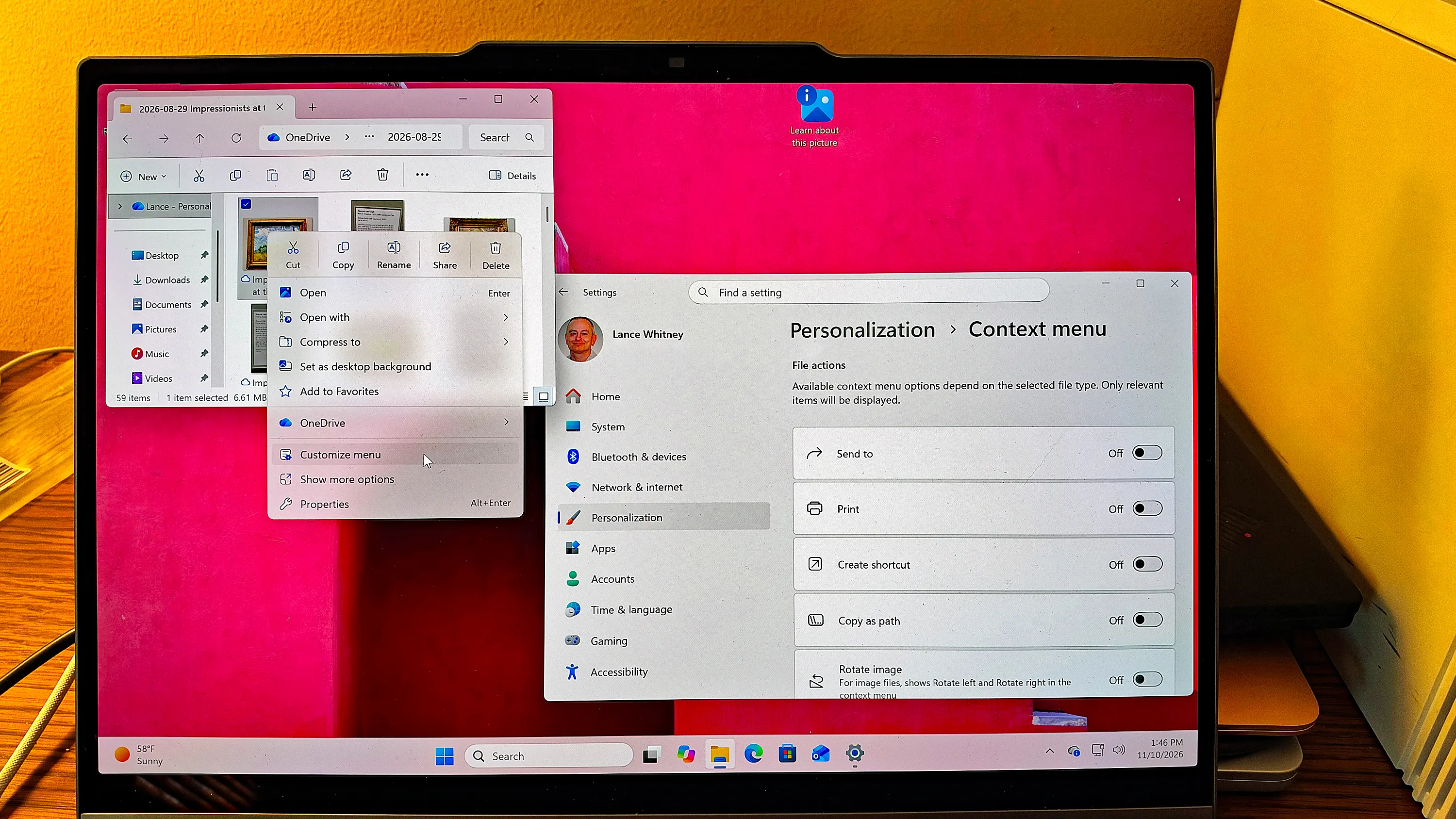
Microsoft's November 2026 Patch Tuesday update for Windows 11 lets users customize the File Explorer right-click menu. Users can add or remove commands and apps so that only chosen items appear. The update is labeled "2026-11 Security Update (KB5132061) (26300.9974)." Per the report, the feature is rolling out gradually, so some PCs may not have it yet. To check, users right-click a folder or file and look for "Customize menu," or go to Settings, Personalization, then Context menu.
The update also fixes 1,094 security vulnerabilities, according to Microsoft. Of these, 63 are rated critical and one is already exploited in the wild. The exploited flaw is a spoofing vulnerability in Microsoft Outlook. According to the report, a remote attacker who sends a malicious email could cause Outlook to connect to an attacker-controlled network without a warning, and could potentially reveal a user's username and password.
The report says support for Windows 11 24H2 ended last month for Home and Pro editions. Windows 11 24H2 Enterprise and Education will continue to receive monthly security updates but not regular non-security preview updates. Windows 11 23H2 Enterprise and Education will receive no more updates after this month. The report advises Home and Pro users to upgrade to 26H2.
Other changes in the update include Cloud rebuild, a recovery option that reinstalls Windows 11 using cloud-based system images and drivers from Windows Update. The report notes that files do not survive a cloud rebuild, so users should back up their data first. The update also changes File Explorer search results, Phone Link message previews, the AutoPlay dialog, and the Privacy & security page in Settings.